Löwenzahn
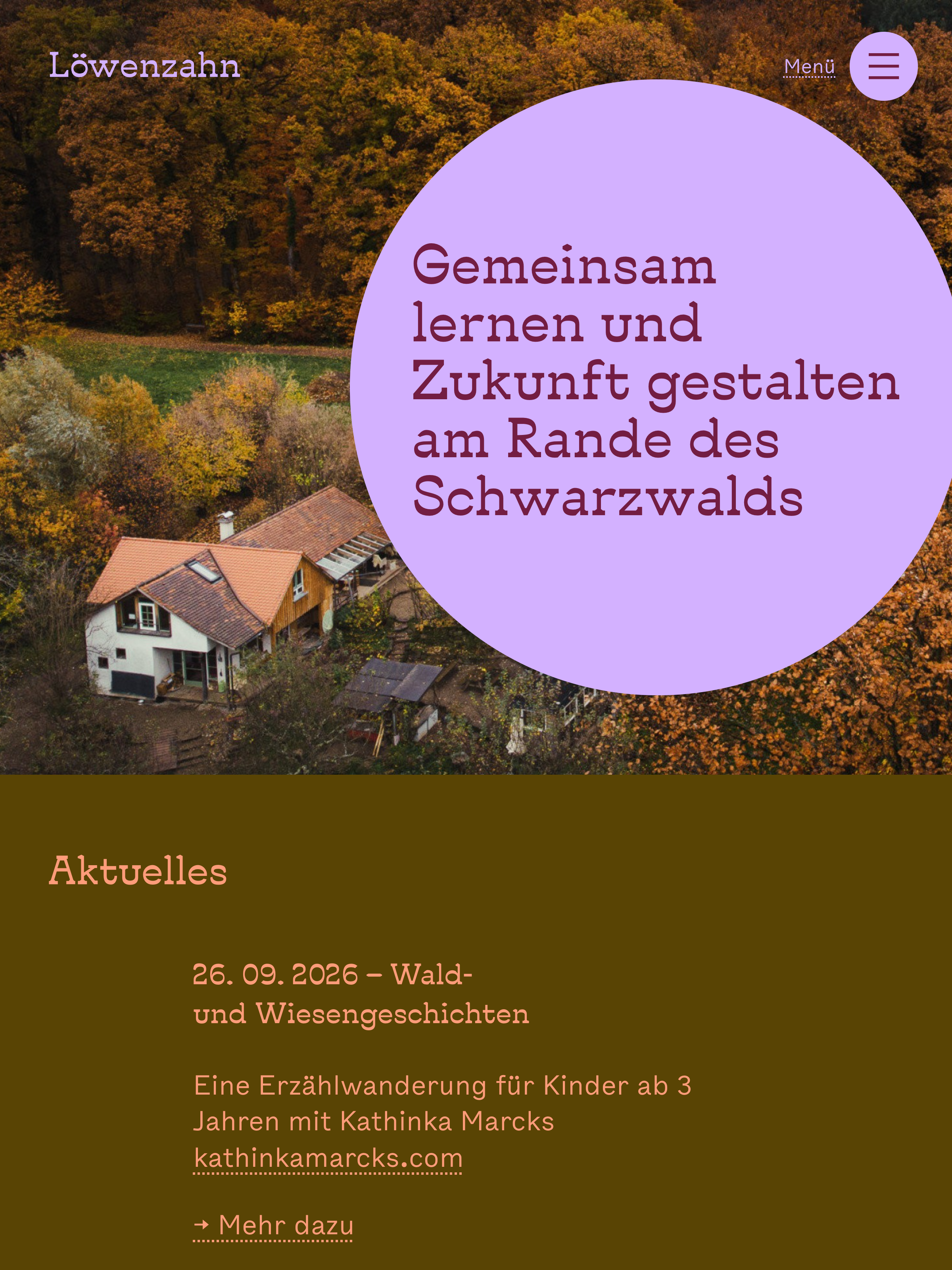
/panel
-
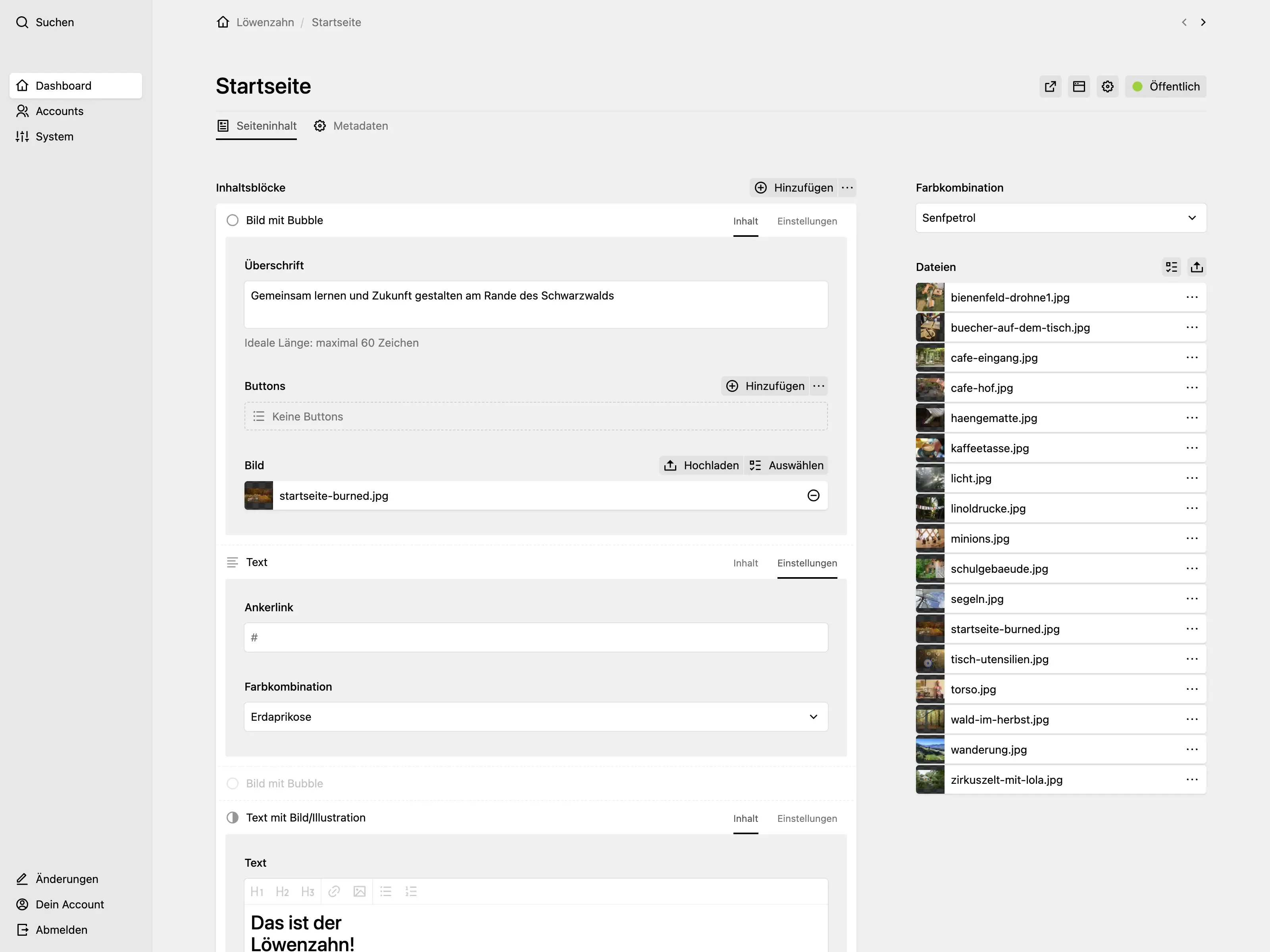
Pages are using the blocks field with the
preview: fieldssetting and Tiptap fields. Each block has a "settings" tab with a colour combination select field. -
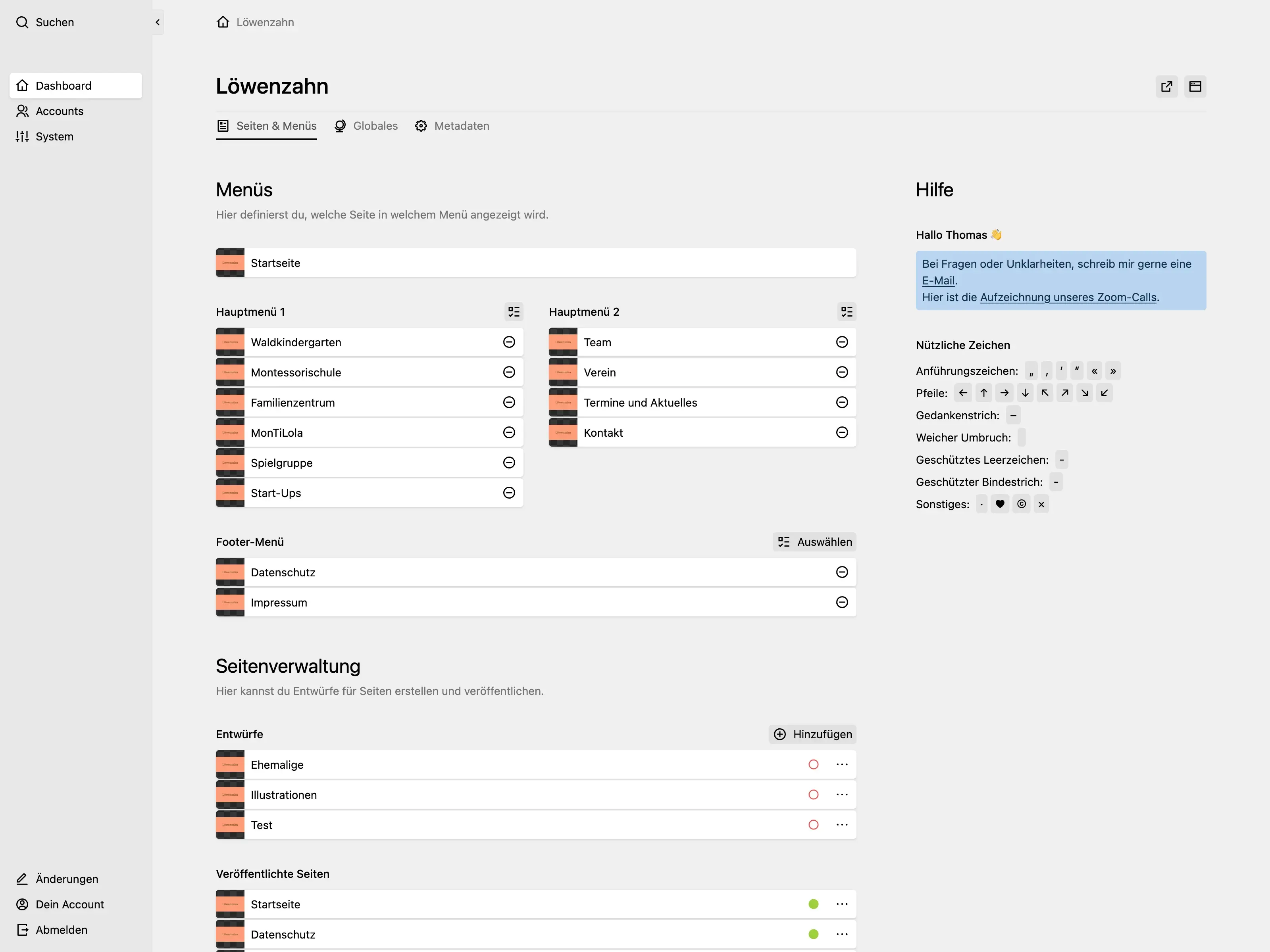
The Punctuation Section plugin provides users with copy-pastable characters in the dashboard. Because the menu is divided into two columns, users create pages and then separately choose where to place them.
-
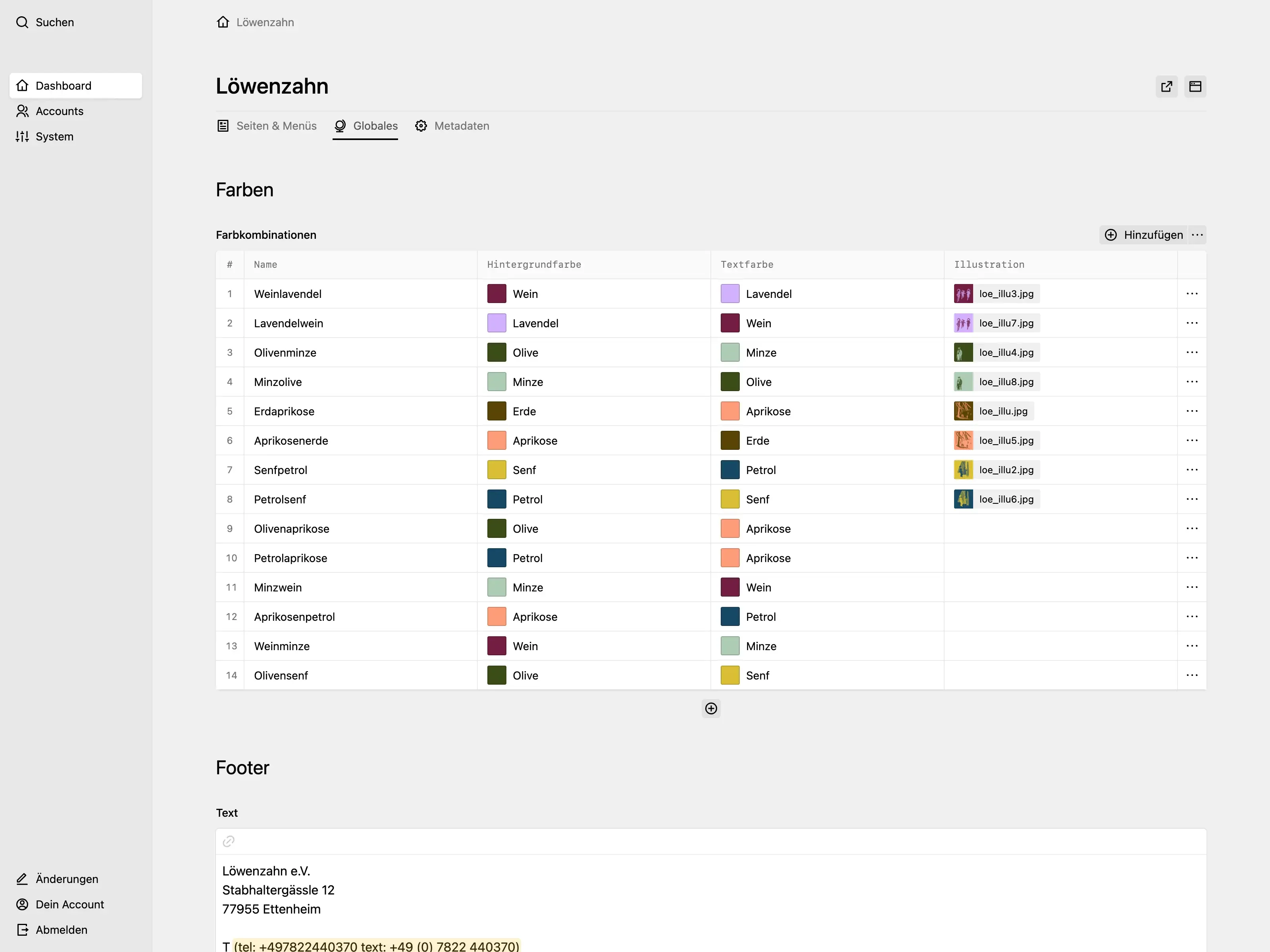
Editors create and manage colour combinations for pages and blocks in a global structure field. Each colour combination can have an optional illustration image.